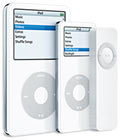
This has happened to me at least on one occasion and it’s a common problem, after all an ipod is a mini computer and computer do lock up from time to time!
Symptoms
The bloody things doesn’t respond to your nubs or you plugging it into a computer.
Solution
If you’re lucky a simple hard reset is all that is needed. How:
1) Toggle the Hold switch on and off. (Slide it to Hold, then turn it off again.) It’s the little switch on top on your ipod.
2) Press and hold the Menu and Select buttons until the Apple logo appears, about 6 to 10 seconds. You may need to repeat this step.
See the full help article on apple.com website here.

Now what if your ipod reboots, shows the apple logo and comes up with a funny little icon! Well, check out this article – iPod iconology that will tell you what the little picture on means? and to see what action to take. (hint: sad iPod icon is bad bad bad!) Shite, now this is getting complicated.

I fixed my house mate’s iPod by doing a hard reset (Solution 1) and then because I got a nice little Icon on the screen ( Folder with exclamation point) after the reboot I had to put it in Disk mode. (The iPod in questions was well and truly buggered!) See this article – Putting iPod into Disk Mode on how to put your ipod into Disk mode. You basically do a hard reset then immediately afterwards press the Select and Play keys. Once she was in Disk mode I was able to run the ipod updater and restore the software to the ipod. See this page to get the iPod updater software.
In Summary!
- Ipod locked up: do a hard reset (toggle hold switch then press select and menu keys) Ipod should reboot and all is well.
- Ipod displays funny Icons after reboot: you’ll need to probably put it into Disk mode (hard reboot then press select and play keys)
- Ipod should now be good to go or you sill may have to do a restore using the iPod updater software (bet you’re glad you backed up all your tunes!!!)
- These steps should be good for both PC and Mac iPods – older generation iPods (iPod, iPod (scroll wheel), iPod (touch wheel), and iPod (dock connector) ) will require different key sequences for hard reset ( after toggling the hold button press Play/Pause and Menu buttons not Menu and Select buttons)